30-Second Answer: Steam Deck, Controller & Performance Settings
Warhammer Survivors is Valve Deck-ready (Green Checkmark) out of the box, running at 60 FPS on Steam Deck LCD and up to 90 FPS on Steam Deck OLED under default settings (intense 20–25 min swarms can dip slightly). Combat weapons auto-fire continuously, so movement uses only the left analog stick, D-pad, WASD, or mobile virtual stick—and Hotfix v2.1.6 lets you press any button to skip chest reward animations.
Updated 2026-11-20 · v1.0 – Hotfix v2.1.6.
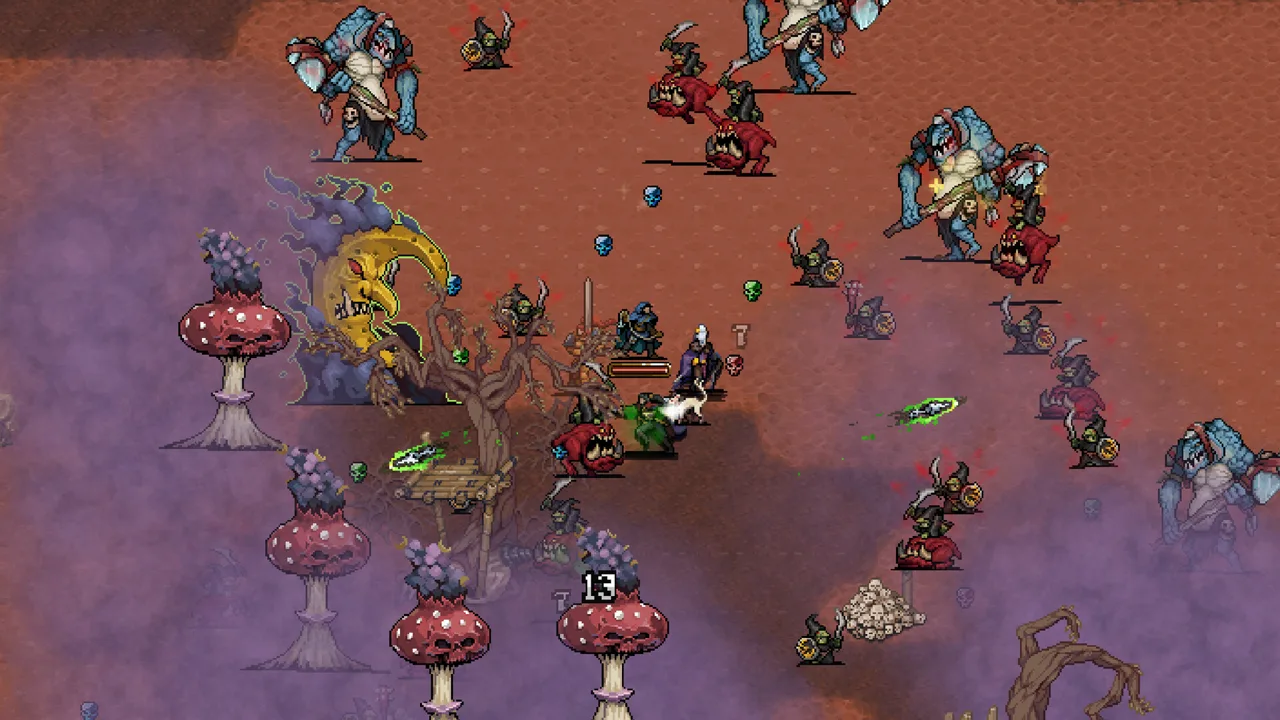
Steam Deck Performance & Battery Tuning
Because Auroch Digital built Warhammer Survivors on a lightweight 2D pixel-art engine, the game carries Valve's Green Checkmark Deck-ready compatibility with native Deck controller glyphs and readable UI scaling at 1280×800.
| Handheld / PC Profile | Observed Performance | Recommended Settings |
|---|---|---|
| Steam Deck LCD (Default) | Smooth 60 FPS through mid-run waves | Leave in-game defaults intact; zero FSR or resolution scaling needed |
| Steam Deck OLED (Default) | Up to 90 FPS on early/mid waves | Matches 90Hz panel early on; intense 20–25 min swarms can dip slightly |
| Steam Deck Battery Mode | 40 FPS / 40Hz | Set SteamOS Quick Access (...) Framerate Limit to 40Hz for longer battery life |
| Low-Spec Windows PC | 60 FPS | Meets Windows 10 64-bit, Dual Core 2.4 GHz, 4 GB RAM, GTX 750, 5 GB storage |
In-Game Options vs. SteamOS Settings (What Exists vs. What Doesn't)
| Setting Category | Available Options | What Does Not Exist |
|---|---|---|
| In-Game Options Menu | Toggle Damage Numbers, Reduce Flashing VFX, Screen Shake, and Audio levels | No 3D shadow, texture, anti-aliasing, or FSR sliders |
SteamOS Quick Access (...) |
Refresh Rate / Framerate Limit (40Hz / 60Hz / 90Hz) and TDP limit |
No manual in-game resolution scaler required (1280×800 native) |
| Steam Input Configurator | Remap D-pad movement or bind rear L4/R4 grips to Pause / Confirm | No right-stick twin-stick aiming required |
Controller Setup, Auto-Fire & Directional Aiming Tips
Warhammer Survivors supports full controller play (Xbox, DualSense, DualShock, Switch Pro, Steam Deck) as well as keyboard-only controls on PC and virtual touch-stick controls on mobile.
| Action | Controller / Steam Deck | Keyboard (PC) | Notes |
|---|---|---|---|
| Move & Steer Facing | Left Analog Stick or D-Pad | WASD or Arrow Keys |
Weapons auto-fire continuously |
| Confirm / Draft Upgrade | Face South (A / Cross) |
Enter / Space / Click |
Selects level-up weapons & passives |
| Cancel / Pause Menu | B (Circle) / Start (Menu) |
Esc |
Opens pause map (shows Auspex/Arcanoscope markers) |
| Skip Chest Sequence | Any button | Any key | Added in Hotfix v2.1.6 |
Unlike twin-stick shooters, you do not manually aim with the right analog stick during combat:
- Movement & Facing: Your left stick (or D-pad / WASD / arrow keys) steers your champion. Weapons fire automatically on internal cooldown timers—making positioning and wide-arc kiting your primary defense.
- Directional vs. 360-Degree Weapons: Weapons like Chainsword, Boltgun, and Flamer fire along your character's current facing vector (or sweep in front of your last movement step), whereas Tempest Axes, Nuln Oil, and Shield of Faith cover orbits or zones around you. Watch your facing angle before stepping away from a Majoris boss so directional salvos keep landing.
- Auto-Aim & Vanilla Settings Reality: Every weapon fires automatically on cooldown—targeted and area weapons (such as Lasgun or orbital abilities) auto-target nearby threats or zones around you, while directional weapons strictly follow your facing direction. Vanilla Warhammer Survivors does not include native right-stick twin-stick aiming or a universal "Auto-Aim On/Off" toggle in Options (unsupported PC community mods on Nexus Mods add right-stick aiming or forced auto-aim toggles).
- Aveline Aboyé Reverse-Thrust Trick: On controllers and keyboards alike, Celestian Sacresant Aveline Aboyé's Spear of the Faithful triggers Secondary Strikes when you reverse vertical Up/Down movement mid-thrust—easier on a crisp D-pad or snappy stick flick.
- Hotfix v2.1.6 Chest Animation Skip: Pressing any button or key immediately skips treasure chest celebration animations—making rapid multi-chest evolutions and two-stage Ghal Maraz pushes much faster on handhelds.
Recommended Steam Deck Setup Steps
- Keep Default Visual Presets: The pixel-art renderer includes minimal graphics sliders and runs out of the box on Steam Deck without manual resolution lowering.
- Reduce Late-Run Visual Clutter: Open the in-game Options / Settings menu and toggle off Damage Numbers (or enable Reduce Flashing VFX / disable Screen Shake) when overlapping evolved projectiles obscure enemy chargers at minutes 18–25.
- Optional — Map D-Pad or Rear Grips in Steam Input: Use Steam Input to bind L4/R4 to Pause or Confirm if you play one-handed, or switch movement to the D-pad for tight corridor maps like Gallowdark and Under-Empire.
- Check Steam Cloud Sync Before Switching Devices: Exit runs cleanly through the summary screen and confirm Steam's Cloud Sync badge reads Up to date on your library page before launching on another PC.
PC vs. Console vs. Mobile Differences
While the core 43 champions, 38 weapon evolutions, 6 Extremis Bosses, and $7.99 USD content scope are shared across platforms, four practical differences affect where you play:
| Feature | Steam / GOG (PC) | Xbox Series X|S & PC Game Pass | PS5 & Switch / Switch 2 | iOS & Android |
|---|---|---|---|---|
| Input Model | Keyboard-only, Mouse menus, Full Controller | Full Xbox Controller (Console) / Pad + KB (PC) | DualSense / Joy-Con / Pro Controller | Virtual touch joystick + tap menus |
| Cloud Save Scope | Steam Cloud across PC & Steam Deck + Family Sharing | Play Anywhere syncs Xbox Series X|S & PC MS Store | Platform-local until Jan 2027 Cross-Save | Platform-local until Jan 2027 Cross-Save |
| Patch Rollout Timing | First to patch (e.g., Hotfix v2.1.6 deployed first on Steam) | Follows platform certification | Follows platform certification | Follows App Store / Google Play review |
| Paint Pot 10k Cut | Live in Hotfix v2.1.6 | Rolls out with platform certification | Rolls out with platform certification | Rolls out with platform certification |
Because Hotfix v2.1.6 deployed on Steam first, console and mobile players waiting on storefront certification may temporarily see the launch-day 100,000 kill counters for Reikland Fleshshade and Agrax Earthshade instead of 10,000—check Updates & Patch Notes and our Cross-Save & Roadmap Guide for the January 2027 universal cross-save milestone.
Nintendo Switch 2 Handheld & Docked Performance
Because Warhammer Survivors runs on a lightweight 2D pixel-art engine, Nintendo Switch 2 handles late-minute Tyranid, Ork, and Skaven swarms smoothly in both handheld and docked play with minimal frame-rate drops even when multiple evolved weapons overlap. Like other console builds, Switch & Switch 2 saves stay local until January 2027 universal cross-save arrives, and toggling off excessive Damage Numbers keeps crowded 20:00–25:00 arenas readable on the handheld screen.
Watch SwitchUp's full Nintendo Switch 2 review and handheld swarm performance breakdown:
Troubleshooting Common Handheld & Input Issues
- Unreachable Chests on Gallowdark or Imperial Bastion: Fixed in Hotfix v2.1.6 on Steam; if an older console build drops an elite chest near boundary geometry, move along the edge with Aura / Magnet or wait for the certification patch.
- Can't See Secrets Menu or Relics on Handheld Screen: Collect Auspex (Desert Wasteland, 40K) or Arcanoscope (Gnarlwood, AoS) so hidden coffins and pickups display clearly on the pause screen—saving squinting during dense waves.
- Save Flags Not Registering After Quitting: Never force-close from the SteamOS Quick Menu or pause-quit mid-run after rescuing Marneus Calgar, Gotrek Gurnisson, or hitting 5 Followers; finish or die naturally to reach the summary screen.
Next Steps
- Check cross-save timing and the full 2026–2027 roadmap in Demo, Cross-Save & Platforms.
- Browse recommended starter loadouts in our Tier List & Interactive Build Planner.
- Plan fast handheld Paint Pot runs in All 12 Citadel Paint Pots & Parade Ready.
Sources
- Official Store, Specs & Patch Feed: Steam App 3669620, Steam News (Hotfix v2.1.6), and Apple App Store (
id6752607219). - Handheld Benchmarks & Steam Input References: Warhammer Survivors Nintendo Switch 2 Review — SwitchUp (YouTube), Steam Deck 60 FPS LCD / 90 FPS OLED behavior, Hotfix v2.1.6 any-button chest skip, and platform control comparisons compiled from Steam Community discussions and launch-week handheld reviews.